Course Schedule Building & Beyond - A guide to course building & scheduling - Texas A&M University ...
←
→
Page content transcription
If your browser does not render page correctly, please read the page content below
Course Schedule
Building & Beyond
 A guide to course building & scheduling

HELLO!

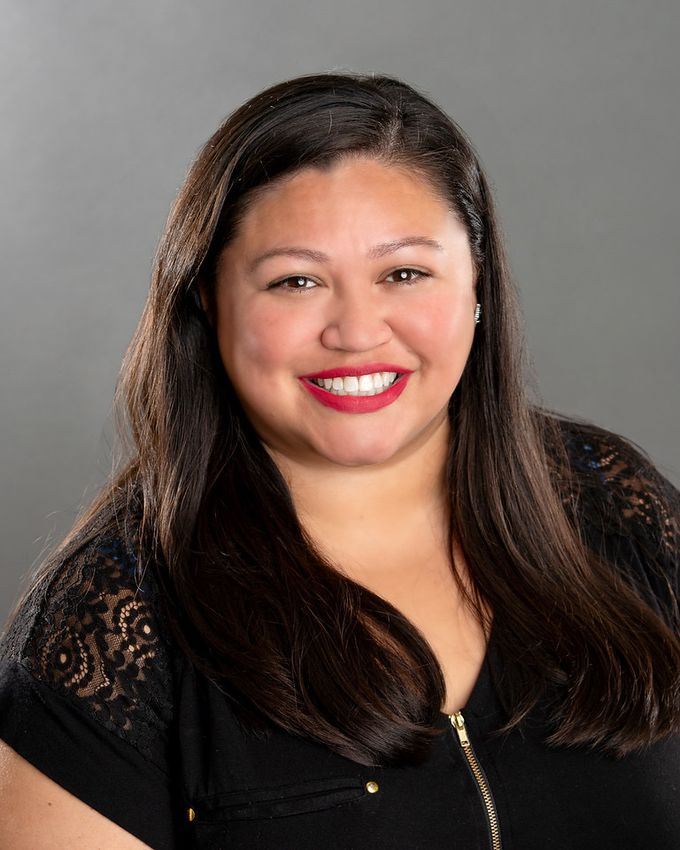
Christie Roberts                Adrianna Zuniga

      You can find us at schedule@tamucc.edu

                                                  2
ALIGN
                       ◦ Align is the place to be if you are interested in reviewing an upcoming
                           class schedule and comparing your currently planned courses and seats
                           with course recommendations.
               BANNER PRODUCTION
                       ◦      To build sections & add restrictions

Tools & What   STANDARD TIME BLOCK SCHEDULE GUIDE

                       ◦      Fall and Spring Template & Summer Template
  They Do                      ◦      Regular 3 hr. lecture classes MUST follow the
                                      standard time block schedule
                               ◦      Any course not meeting in standard time blocks will
                                      be reviewed by the University Registrar and
                                      scheduled in the 2nd round of scheduling
               ARGOS REPORTS

                       ◦      To check that you did work as you intended
               UNIVERSITY CATALOG
                       ◦      To confirm that section pre-requisites and restrictions
                              match the catalog
                                                                                                   3
◦   August 18-October 3: Course schedule building
              ◦   October 3 at 5:00 pm: Hands off course schedules,
                  deadline for data entry and edits for Spring 2022.
              ◦   October 4-5: Room Optimization for courses that need
                  rooms.
Spring 2022   ◦   October 6: Room shopping begins for Spring 2022
 Timeline     ◦   October 18: Spring 2022 Schedules go live on SAIL
              ◦   October 31: Final review of schedules, all edits to
                  Instructional Method must be completed prior to
                  registration
              ◦   November 1: SAIL registration opens
                  for Spring 2022 (including mini-terms)

                                                                         4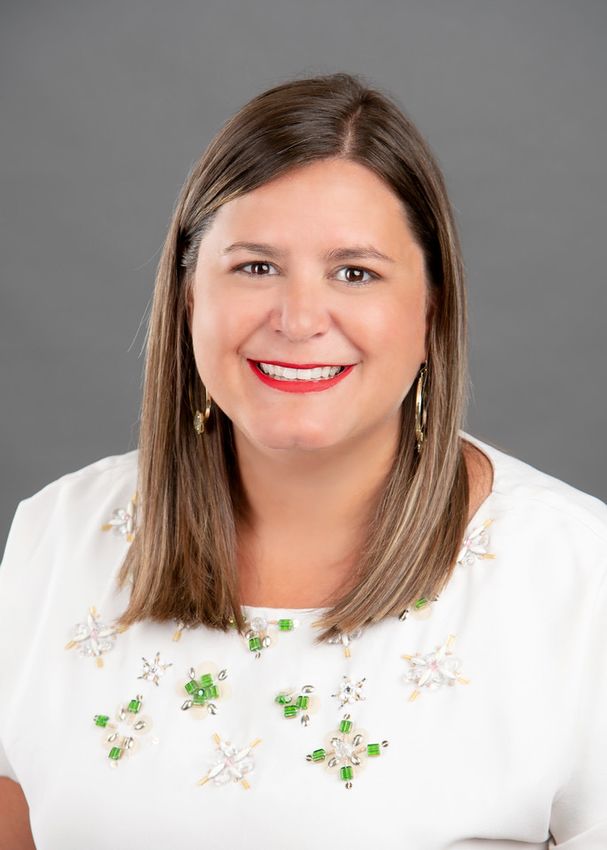
Course Creation!
Spring is not rolling over and you are creating from
                       scratch!
SSASECT

Course Building Form

1.   Term Box: Enter Semester Code
2.   CRN Box: Enter ADD
3.   GO: Select GO box

                                     7
1.   Enter SUBJECT and COURSE NUMBER, this will prepopulate the
               Title.
          2.   Enter Subject Code for Course.

                                      SECTION CODE
SSASECT               ◦   Lectures -“0”          ◦   Honors -“H”
                      ◦   Labs -“1”              ◦   Blended-“B”
Fields                ◦   Computer -“2”          ◦   Math Galveston
                                                     “G”
                      ◦   Online -“W”
                                                 ◦   NCBO’s –“N”

                    Campus: M= Main & R=Rellis

                                                                            8
Status                              Integration Partner

                   ◦   A= Active              ◦     Always “IOL”

                   ◦   X=Canceled             ◦     Enables courses to Blackboard

                                                  Instructional Method
                   ◦   C= Closed
          Schedule Type                                  ◦    CAUTION! This controls
                                                              course fees
                   ◦   LEC= Lectures
SSASECT            ◦   LAB= Lab
Fields             ◦   RCT= Recitation

                   ◦   Instructional Method

                                                                                       9
◦   B – Blended; 50 – 84% online •        F – Face---to---face/ no web--
                ◦   C – 25 – 49% online                   -enhancements I – Fully online /
                    D – 1---24% online/ face---to--
Instructional   ◦
                    -face
                                                          85% --- 100% online IV – two--

Method          ◦   E – eline, CONHS
                                                          -way interactive video

                ◦   CC – Off---campus, local, no      •   OS – Outside of Corpus Christi
                    campus access                         Area

                                                                                           10
Grade Mode Special Approval
◦ Always G-gradeable unless listed in ◦ Skip for now
the catalog as credit/no credit. Part of Term
Session
◦ Refer to standard time block
◦ Code dependent on standard time sheet
block sheet
SSASECT
Fields
11Be sure that “session” & “part of term” MATCH. This ties into
SO MUCH such as financial aid, grades, and reporting!
12Credit Hours
SSASECT ◦ Enter Credit and Billing Hours
Fields ◦ Must MATCH
13Attendance Method Check boxes in lower right
◦ Face to Face ◦ “Print”- prints the section in the Semester
Schedule
◦ Internet
◦ “Voice Response/Self Service” allows SAIL
◦ Hybrid/Blended Course viewing & registration.
◦ “Gradable”- produces grades sheets
◦ Uncheck for zero credit labs where
course grade is given in lecture
SSASECT courses
◦ If not checked, the course will not
Fields show up on the degree planner.
◦ MAJOR implications if checked and
shouldn’t be.
Hit Save to Create 14
the CRNSection ◦ Enter the “maximum” amount of students that can
Enrollment register for the class.
Information
15• Use your keyboard Tab key to pull over the start and
end dates.
• Check the days of the week that the class will be
Meeting Time taught
and Instructor •
•
Enter Start and End Times
Tab key get the dates to come over but leave fields
for building, and rooms blank for
16Hybrid-Blended Courses
1. Navigate to meeting times and instructor
2. Tab over to populate dates and select the days and time the faculty will need a room.
3. Select Insert and follow step 2 and select day and time the faculty will NOT need a room.
If a department has a hybrid/blended course and only meeting ONE meeting in person day a
week, the faculty must choose which day class will be held. Our office will schedule ONLY one day.
Must let our office know which day.
17• Enter professors A number • Enter % of responsibility and %
into the "ID" box OR enter of session
• If not cross listed with other
Adding an name. sections, it will be 100%
Instructor • Tab and instructor will • If cross listed, divide 100% by
the number cross list sections
populate
• If you cannot assign an
Instructor please contact
Wendy Benderman.
18•Special Approvals
•Departmental or Instructor permission
•Restrictions
Adding •Must be JR or SR, for example
Registration •Pre-requisites
Controls &
•Course “A” must be completed before
Comments registering for course “B”
•Comments
•Un-programmable pre-requisites, or
notes
19Special Approvals
• Use only when absolutely necessary
• Process requires that the student know
Place your screenshot here
who to see, be able to find them, the
“permitter” must be available, and that
person must grant permissions in
Banner, before the course becomes
available to the student.
• .
20Permits-SFASPRO
◦ Enter Student ID, Semester code and click GO
◦ Choose a Permit (click on the 3 dots to search for a permit)
◦ Enter CRN that is approved
◦ Enter the subject and course Number (meaning any section
is approved.
◦ This is done at the student level. Must enter it for each course
permitting into.
21College and Major Restrictions
Freshman= 0-29 hrs. Junior= 60-89 hrs.
Sophomore= 30-59 hrs. Senior= 90+ hrs., but no degree
Banner counts grade history hours PLUS hours in progress to
determine classification.
• In this example, the combinations of restrictions means that the course is NOT open to Freshman or
Sophomores.
• The best way to do this is to INCLUDE the levels that are allowed to register and leave everything else blank
22“
Pre-requisites and Restrictions
MUST be printed in the University Catalog
23Prerequisites
In this example, the student will need to have taken
BIOL 1406 with a ”C” or better
24Comments
o One comment per line. Use this sparingly
and only for essential things because it
prints in the schedule and, when overused,
clutters up the page.
o This appears on the Notes section when
registering but not shown on transcript
when printed.
25• Lecture Lab Credit
Zero Credit & • Variable credit
Variable Credit
• Creating sections that do not have
Courses
specified meeting days & times
• Creating transcript titles.
26◦ In this example is a variable topic independent study course
Variable Credit from 1 to 3 hours.
◦ This particular section will be 3 hours, so credit, billing,
contact hours all MUST be re-set to 3
◦ If you DO NOT get this right, it will mess up student
transcripts, student fees and bills and faculty workload
calculations! Major implications if not matching.
27No Scheduled
Class Meetings ◦ Whenever you create a class with no scheduled
class meetings (i.e. an independent study
section), you MUST set hours per week to zero.
◦ If you forget to do this, Banner will not let you
assign an Instructor to the section
28CAUTION!
• Enter the default catalog title
just as it appears in the
”COURSE TITLE”
Long Title NEVER edit Section Title. It
• Add a colon and, in mixed case,
creates transcript entry errors
and causes conflicts with state add the sub-title.
reporting.
• This is EXACTLY what will
appear in the class schedule
and on the student’s transcript,
so be sure it is spelled correctly.
• Don’t forget to save- bottom
right hand corner and return to
SSASECT.
29Way To Go!
You now know how to create a free-standing course section in
Banner with permissions, restrictions, pre-requisites, comments,
variable topics and variable credit.
30Creating Section Linkages
• Linked: Lecture-Laboratory or
Lecture- Recitation with same
course number
• Cross-Listed: Students can
Creating Section enroll for same course under
Linkages different prefixes
• Stacked: Sections at different
levels taught together as a
group
31oTo ensure that student enrolls in
the LEC section of a course and
also register for one of several
connected LAB sections.
LEC/LAB Links:
oAll sections in the connected
what does group MUST have the same
that mean? prefix and course number (but
different section numbers): BIOL
1308.001 & BIOL 1308.101
32◦ BIOL 1308.001 LEC [AA]àLink Identifier on SSASECTà
Link to SSADETL to partner
◦ BIOL 1308.101 LAB [BB] àLink Identifier on
SSASECTà Link to SSADETL to partner
◦ BIOL 1308.102 LAB [BB]
Conceptual ◦ BIOL 1308.103 LAB [BB]
Summary ◦ BIOL 1308.002 LEC [CC]àLink Identifier on SSASECTà
Link to SSADETL to partner
◦ BIOL 1308.104 LAB [DD] àLink Identifier on
SSASECTà Link to SSADETL to partner
◦ Biol 1308.105 LAB [DD]
◦ Biol 1308.106 LAB [DD]
33Step By Step to Linking
Step 1: In the lecture section,
enter the Link Identifier, “AA” in
this example.
34Step By Step to Linking
Step 2- SSADETL-Enter the “link
connector” code of the lab sections you
will be connecting to, SAVE
35Step By Step to Linking
Step 3- SSASECT: open
the Lab section and
enter the “BB” link
identifier. SAVE.
36Step By Step to Linking
Step 4- To Connect the LAB back to the Lecture,
enter the “AA” link identifier. SAVE.
Repeat this same procedure with all lab
sections in this group
37Cross-Listed Sections
• Students can register for the same course at the same
time, in the same place, with the same instructor, using
different prefixes
• SOCI 2326 Social Sociology
• PSYC 2326 Social Psychology
Cross-Listed & Stacked Sections
Stacked Sections • Course sections at different levels taught as combined
classes by the same faculty member at identical days and
times.
• Most commonly, either a 4000- level section combined with
a 5000-level section meeting together.
Why?
• Required for Coordinating Board reporting.
• Faculty instructional workload reporting to work correctly.
• Classroom Assignments
38• SSAXLST
• Enter Term and select the three dots to
Cross list code run a query so you can identify which
codes have already been used.
• Enter the term in which you are building the
course for and select ”GO”
39Finding an
available cross
list code ◦ The query will show you all the codes that have
been used as well as the courses they connect.
◦ Scroll up and down to find the next code. You can
also go to the end of the list.
40AA BA CA
AB BB CB
AC BC CC
Conceptual AD BD CD
Summary
AZ BZ And so on…
◦ The query will show you all the codes that have been used as well
as the courses they connect.
◦ Scroll up and down to find the next code. You can also go to the
41
end of the list.◦ SSAXLST- Enter term, the cross list and select GO
Enter the cross
◦ Enter maximum enrollment: this will be the
list Code
combined enrollment for both of the course
◦ Enter the CRNs of the course and press save.
42◦ A corequisite means a course or other requirement that a
student must take at the same time as another course or
Co-Requisites requirement
◦ Must be in the catalog and co-req at the catalog level and then
at the section level.
◦ SSADETL- enter term and CRN of the first course.
◦ In the Co-Req box enter the CRN of the one you want to
connect.
◦ Repeat steps for 2nd course.
43Copy CRN
1. Change section number to 0 and save.
2. Select copy CRN and GO.
Enter CRN you are copying
3. and select process default.
Don’t forget to to re-number the sections and SAVE! 44Cancelling a CRN
• Go to the Meeting Dates tab, Delete, Save
Extra
• Tab to the Instructor field, Delete, Save
• Go to Course Section Information tab and change the A
(active) to X (cancel) in the Status field. SAVE! The inactive
CRN can be used again for the same course, if needed.
Extra Deleting a CRN
• The difference between Deleting a class and Inactivating a class, is that once
it's deleted, you cannot retrieve it again.
Extra
• There are many times when this is good to do.
• You may have added the wrong class altogether or in the wrong term
and want it gone for good.
• If this is the case, go to the Course Section Information Tab and click on
the Delete button.
You will get a warning and then Save.
All data must be removed before you can cancel & delete the CRN. 45Course Changes After
Registration begins
• Moving Students into different Sections OR
Extra • Making changes to instructional method or days & times
1. Notify Students of changing of sections via email. If
instructional method is being changes, notify students of
Extra
increased fee. If you are changing to an online only course
there will be a fee increase as well.
2. Send roster to registrar’s office with information of NEW
CRN.
Extra
3. Once the Registrar’s office has completed the moves, we will
notify the department.
**THIS SHOULD NOT HAPPEN AFTER THE LAST POSTED DAY TO
ADD A CLASS**
46First-Year
Learning
Extra Communities
Extra Programs
The what, when, why and how!
Extra
47◦
Sections
Grouped together in blocks labeled A, AP, B, EN, US, V, etc.
◦ LC section #’s tend to be in the higher range, such as .030-.999
◦ University College team enters lecture faculty names in Banner. Departments
are responsible for adding lab instructor names.
◦ Lastly, actions can be linked together in multiple ways! Any minor changes
done to one section can have a domino affect across the LC schedule!
If you see a section number that does not make sense to you, please do not delete
it! : )
48FYLC
You can check on the Banner
schedule online!
Select “All Subjects” and “Learning
Communities”
49Argos
Logging In   ◦ http://argos.tamucc.edu/
             ◦ Select “Login to Argos”
                ◦ Enter your AD username and
                   password
                                               51
Navigating to
the right report
52Report: Class
Schedule
◦ Used to review course creation
guidelines
◦ Easy way to see if course has all the
details it needs 53Report: Class
Schedule
◦ What published schedule will look like.
◦ Verify to see what students will see and the
“notes” and “comments”.
54Report:
Faculty
Teaching
Multiple
Sections at
the Same
Time ◦ This report can show you where you
are missing a cross-listed coding.
55Ad Astra
Schedule
Classroom Scheduling & Course DataCourse Building & Room
Scheduling Timeline
57Classroom
Capacities
58• Preferences with varying weights: MUST BE
PEDAGOGICAL
• Building Preferences
Preferences • Proximity to labs
• Professors needs (instructional and physical)
• Computer Labs can be requested on the
preference set
59Preference
Worksheet
60• Align is the perfect place to review the upcoming class
schedule and compare what you are currently planning and
the seats with the recommendations.
• Recommendations for departmental the course offerings for
Align- the given term. You can get some details about the course
analysis and section details to make those data driven
Predictive Data decisions.
• All department chairs have access. If you would like access,
please send email to schedule@tamucc.edu to request an
account!
61Course Data-
Align
• Set up quick filters for all departments and shared with department chairs.
• Drill down by course and can pull exactly which students have that course
next in their pathway.
62• Monitor is a registration tracking platform that daily
Monitor- updates enrollment to allow for continued analysis and
decision making in relation to the upcoming term course
Registration schedule.
Tracking • All department chairs have access. If you would like access,
please send email to schedule@tamucc.edu to request an
account!
63Registration
Tracking-
Monitor
• Keep an eye on registrations for key courses before the start
of the term
• Can take a deeper look into courses to learn more and start
conversations with people inside the app and keep tabs on
it with the “notify me”. 64• All rooms that are funded by the University
Technology Council will be run through the optimizer
which includes Classrooms and most Computer
Labs.
• Import courses from Banner, scheduled in Ad Astra,
then pushed back to Banner
The Optimizer • Preferences are used to find the best utilizations for
classrooms.
• Progressive Optimizations
• Strict parameters
• Eight Runs- start at 100% seat fill-
Decreasing 5% each run.
65Selecting a
Room for a
Course
Select the Academics tab and then Select Sections
66Selecting a
Room for a
Course
Select the Term in which you are course building
67Selecting a
Room for a
Course
Select the course you want to select a room for.
68Selecting a
Room for a
Course
Select the house to view rooms available.
69Selecting a
Room for a
Course
• Make sure you select Classroom under the room type and select done.
• Select Search when complete.
• Find available room and select and click OK to save.
Helpful Tip!
• To view unavailable rooms unselect the show only available mtg.
patterns. 701. How to Create Course Sections in Banner (this
presentation)
2. Checklist for Class Section Scheduling
3. Instructional Space Scheduling Guidelines
Helpful Handouts 4. Summer/Fall/Spring Standard Time block Schedule
5. Non-Standard Time Block Schedule Exception Form
6. Classrooms and Computer Capacities
7. Course Designations for Instructional Method
71Thanks
Any questions?
Christie Roberts Adrianna Zuniga
Contact us at schedule@tamucc.eduTexas A&M University-Corpus Christi
Office of the University Registrar
Classroom Scheduling Checklist
When preparing the class schedule for your department(s), please
review the questions listed below. The schedule will be monitored
during the schedule and until registration:
1. Am I using standard meeting times and adhering to the distribution
rules?
a. Use the Standard Class Meeting Time Schedule. The Class Schedule
Distribution Rules are listed on the schedule along with the meeting times.
There are also related Argos reports to check on your status
b. If a non-standard meeting time if wanting to be offered, make sure to
submit a non-standard time exemption form.
2. Do I have cross-listed or stacked courses?
a. Courses to be cross-listed or stacked must be of equal credit value. You
cannot cross-list a course that is 3 credits with a course that is 4 credits. A
cross-listed course must have the same instructor at the same day/time in
the same room. Courses need to be cross-listed in Banner before rooms
are assigned.
b. Faculty workload is highly affected by cross-listed and stacked courses.
Please remember to divide the percent responsibility (100) and percent of
session (100) by number of courses in the cross-list group.
3. Am I over or under estimating the maximum enrollment?
a. Historical and projected enrollment reports from Ad Astra's Align should be
utilized to enter most accurate the maximum enrollment for a particular
course section.
4. Did I select the correct instructional method?
a. All instructional methods must be correct prior to opening of registration.
Instructional method types affect student distance education fees and
cannot be changed once there is enrollment in the course.
WHEN IN DOUBT, CONTACT OUR OFFICE AT SCHEDULE@TAMUCC.EDU!
We are happy to help!Texas A&M University- Corpus Christi
Office of the University Registrar
Instructional Space Scheduling Guidelines
Background
Through the stewardship of computer labs, classrooms and academic spaces, we can ensure
success of the university at many levels. The Office of the Registrar pursues the optimal use of
computer lab and classroom resources. Increased demand for computer lab and classroom,
changes to teaching methods, and faculty preferences result in the need to adhere to our standard
time blocks to maximize our utilization of campus facilities and academic spaces. This allows us
to minimize the number of unused half hours and is instrumental in accommodating room
switches. Because technology changes at lightning speed, attempting to provide guidelines for
using specific technological tools may prove less valuable than spending the same time
providing guidelines on using technology in general.
The intent of this space policy is to provide a systematic approach for evaluating space
acquisition based on current and projected space utilization needs and assessments.
A. Factors to be considered in assigning space are as follows:
a. The interest of the University as a whole.
b. The suitability of the space and the possible future uses with anticipated or
ongoing construction, renovation, and planning of major space reallocations.
c. The costs incurred by granting the space and who will bear them.
d. The effects on people who must be relocated if the space request is granted.
e. Best interest of the units strategic plan.
Space Utilization Efficiency Score (SUE)
The SUE score consists of three variables that are calculated for both Classrooms and Labs,
which are those that have a room type of 110 and 210 respectively, totaling 6 parts of the overall
score. All physical facilities belong to the University and are assigned to a college, academic
unit or department. Current users or occupants of the facilities do not own the space but may
have control as delegated by Texas A&M University- Corpus Christi. A particular college,
department or school assigned to space operated by the University is subject to change. A space
request must be submitted to the Space Management Committee before any change of use or
modification to the space is performed.
Ownership
If a room is coded as a room type of 110 (classroom) and most of the 210s (lab), it is centrally
scheduled and upkeep for those rooms are funded by the University Technology Council (UTC).
Currently there are 69 rooms that meet these needs. If a room is not scheduled by the Registrar’s
Office, it is not funded by the UTC and the department is responsible for the technology upkeep
of that room. Currently there are 123 rooms that meet these needs.
Rules to be Designated as a University Technology Council (UTC) Funded Classroom/Lab
1. Classroom/Labs must not be locked while the building is open for student use.
2. Classroom/Labs must not be designated for a particular college or class which may deny any
student to use it.
3. Classroom/Lab must be able to be scheduled by any College or Department for normal
Updated 8/27/21Texas A&M University- Corpus Christi
Office of the University Registrar
Instructional Space Scheduling Guidelines
scheduled courses or ad hoc purposes.
4. Only Technology/Software used centrally by all disciplines will be maintained and funded.
Instructional Rooms
Instructional rooms that are “owned” and maintained by departments can schedule their
department courses and have approval as to what is scheduled in the space. It should be noted
that these rooms will not be scheduled by the Registrar’s office unless directed by the department
and the technology will not be maintained by Information Technology(IT). IT will make
assessments on repairs, consult on new purchases and will respond to basic maintenance calls.
These rooms will be coded accordingly depending on the use.
Computer Labs
Computer labs that are “owned” and maintained by departments can schedule their department
courses and have approval as to what is scheduled in there. It should be noted that these rooms
will not be scheduled by the Registrar’s office unless directed by the department and the
technology will not be maintained by Information Technology. These rooms will be coded
accordingly depending on the use. If a room is departmentally owned and the department is
wanting to be funded by the UTC then a space request must be submitted to the Space
Management Committee before any change of use or modification to the space is performed. If
approved, the Registrar’s Office will take ownership and the room will be funded by the UTC. If
funded then the computer labs must be centrally scheduled and will be scheduled in the same
process as classrooms are scheduled.
Scheduling
The Office of the Registrar is responsible for assigning classrooms. These classrooms are
expected to meet the Texas Higher Education Coordinating Board’s THECB fill requirement,
which, along with other measures utilization and demand of all classrooms and class laboratories
on campus and is a factor in funding for capital projects and/or renovations. Classrooms and
class laboratories are required to be at least 65% (classrooms) and 75% (computer labs) of the
room’s capacity. Initial scheduling priority is given to classes that follow the standard course
meeting times.
• Room and resource assignments will be scheduled for active classes with a capacity greater
than zero. To optimize, classroom space, the Office of the Registrar will match as closely
as possible capacities of classrooms to the maximum enrollment cap stated by the
requesting department.
• Prior to the first day of classes, the Office of the Registrar may reassign classrooms for
courses with low enrollment.
• As soon as possible and no later than Census Day, Departments should notify the Office
of the Registrar of classes to be cancelled to enable classroom reassignments and automatic
drops for enrolled students.
• Room and resource assignments will be scheduled for active class with a capacity greater
than zero. To optimize assignments will be scheduled for active classes with a capacity
greater than zero. To optimize classroom space use, the Registrar’s Office Scheduling
Updated 8/27/21Texas A&M University- Corpus Christi
Office of the University Registrar
Instructional Space Scheduling Guidelines
Department will match as closely as possible capacities of classrooms to the maximum
enrollment cap stated by the requesting department.
Standard Time Blocks
Standard Time Blocks are built to adhere to the instructional contact hour requirements as set forth
by the Texas Education Coordinating Board and Department of Education. Our distribution rules
allow scheduling policies to remain consistent and equitable across departments and Colleges,
while maintaining flexibility. They also maintain an equitable distribution amongst time blocks
which are not consistently used and can prevent “bottlenecks” within the time blocks that are used
most frequently.
A. Overlapping multiple standard time blocks on a given day will prevent other courses
from being scheduled in that same room prior to and after the course.
B. Scheduling conflicts for students, which will result in the inability to take the required
courses as prescribed by their degree plan and thus preventing them from progressing
towards their degree.
Each semester the Office of the University Registrar will provide departments with an up to date
standard course meeting times matrix. The listing can be found at:
http://registrar.tamucc.edu/Faculty_Staff/training.html. Initial scheduling priority is given to
classes that follow the standard course meeting times.
Reports
The following reports, which apply to all colleges are designed to maximize utilization as well as
to schedule classroom space in a transparent, consistent, and equitable manner. Classroom
scheduling is a dynamic process requires periodic reevaluation of class size, equipment, and
software specifications, as well as student demand. These reports are disseminated to
departments during the scheduling process to assist with making data driven decisions.
A. All regular on-campus three/four credit hour lecture, seminar, or recitation courses must
meet in the standard time blocks.
B. At least 20% of three/four credit undergraduate lecture classes in each college must be
scheduled in MWF time blocks (this excludes nursing courses).
C. At least 10% of three/four credit hour undergraduate lecture classes in each college must
be scheduled to begin BEFORE 9:30 am. (this excludes nursing courses).
D. Faculty teaching courses on same, day, time, room. (Stacked/Cross-listed courses)
E. Building/ Room Utilization Report- shows courses that are not filling at least 65% of a
classroom.
Non-Compliance Consequences
The standard time blocks and distribution rules were created to maintain adherence to state
requirements for instructional meeting times and maintain equitable distribution within academic
spaces across the University. Non-compliance with our University policies will result in the
following:
Updated 8/27/21Texas A&M University- Corpus Christi
Office of the University Registrar
Instructional Space Scheduling Guidelines
A. A bottleneck of courses scheduled for prime times with a limited amount of academic
space. Core Curriculum courses will have first priority. Others that do not get scheduled
will have to change meeting times and/or days.
B. Courses outside of standard time blocks will be given lowest priority for room assignments.
C. Students will be limited on course scheduling options due to time conflicts and unable to
progress towards their degree.
D. A lowered SUE score is a factor in funding for capital projects and/or renovations.
E. Courses not funded by the UTC will not be maintained and students and faculty will be in
sub-par instructional space.
Updated 8/27/21CLASS SCHEDULE DISTRIBUTION RULES:
1. All regular on-campus three credit hour lecture or seminar courses MUST meet in standard time blocks
2. At least 20% of three credit hour undergraduate lecture classes in each college MUST be scheduled in MWF time blocks
3. At least 10% of three credit hour undergraduate lecture classes in each college MUST be scheduled to begin BEFORE 9:30 am
~Laboratory, studio, clinical and other courses with extended class hours should be scheduled to minimize conflicts with standard time blocks
~Extended time period courses like labs and studios should be scheduled to begin at one of the standard start times
~Labs and studios scheduled for "2 contact hour meetings" will meet for 1 hr and 50 min to allow students transition time between classes
~Labs and studios scheduled for "3 contact hour meetings" will meet for 2 hrs and 50 min to allow students transition time between classes
FALL/SPRING STANDARD CLASS MEETING TIME SCHEDULE
Monday Tuesday Wednesday Thursday Friday Saturday
8:00 MWF 8:00-8:50 TR 8:00-9:15 MWF 8:00-8:50 TR 8:00-9:15 MWF 8:00-8:50
8:30 (0800-0850) (0800-0915) (0800-0850) (0800-0915) (0800-0850)
9:00 MWF 9:00-9:50 MWF 9:00-9:50 MWF 9:00-9:50 S 9:00-11:30
9:30 (0900-0950) TR 9:30-10:45 (0900-0950) TR 9:30-10:45 (0900-0950) (0900-1130)
10:00 MWF 10:00-10:50 (0930-1045) MWF 10:00-10:50 (0930-1045) MWF 10:00-10:50
10:30 (1000-1050) (1000-1050) (1000-1050)
11:00 MWF 11:00-11:50 TR 11:00-12:15 MWF 11:00-11:50 TR 11:00-12:15 MWF 11:00-11:50
11:30 (1100-1150) (1100-1215) (1100-1150) (1100-1215) (1100-1150)
12:00 MWF 12:00-12:50 MWF 12:00-12:50 MWF 12:00-12:50 S 12:00-2:30
12:30 (1200-1250) TR 12:30-1:45 (1200-1250) TR 12:30-1:45 (1200-1250) (1200-1430)
1:00 MWF 1:00-1:50 (1230-1345) MWF 1:00-1:50 (1230-1345) MWF 1:00-1:50
1:30 (1300-1350) (1300-1350) (1300-1350)
2:00 MW 2:00-3:15 TR 2:00-3:15 MW 2:00-3:15 TR 2:00-3:15 F 2:00-4:30
2:30 (1400-1515) (1400-1515) (1400-1515) (1400-1515) (1400-1630)
3:00
3:30 MW 3:30-4:45 TR 3:30-4:45 MW 3:30-4:45 TR 3:30-4:45
4:00 (1530-1645) (1530-1645) (1530-1645) (1530-1645)
4:30 M 4:20-6:50 T 4:20-6:50 W 4:20-6:50 R 4:20-6:50
5:00 (1620-1850) (1620-1850) (1620-1850) (1620-1850)
5:30 MW 5:30-6:45 TR 5:30-6:45 MW 5:30-6:45 TR 5:30-6:45
6:00 (1730-1845) (1730-1845) (1730-1845) (1730-1845)
6:30
7:00 MW 7:00-8:15 M 7:00-9:30 TR 7:00-8:15 T 7:00-9:30 MW 7:00-8:15 W 7:00-9:30 TR 7:00-8:15 R 7:00-9:30
7:30 (1900-2015) (1900-2130) (1900-2015) (1900-2130) (1900-2015) (1900-2130) (1900-2015) (1900-2130)
8:00
8:30
9:00
FALL SPRING
Goals: 15-Week Course, Part of Term "FAL" 15-Week Course, Part of Term "SPR"
(1) Minimize schedule conflicts for students 1st 7-Week Course, Part of Term "S" 1st 7-Week Course, Part of Term "S"
(2) Maximize classroom availability 2nd 7-Week Course, Part of Term "T" 2nd 7-Week Course, Part of Term "T"
(3) Provide a variety of class time formats to accommodate different instructional strategies and styles
(4) Facilitate creation of conflict-free final exam scheduleSTANDARD TIME BLOCK SCHEDULE: SUMMER
Summer Term I (201806) Summer Term II (201807)
"Session" = A ("Part of Term" = SUM) "Session" = G ("Part of Term" = 1)
20 class meetings over 5 weeks MTWR 20 class meetings over 5 weeks MTWR
8:00-9:55 8:00-9:55
(0800-0955) (0800-0955)
MTWR 10:00-11:55 MTWR 10:00-11:55
(1000-1155) (1000-1155)
MTWR 12:00-1:55 MTWR 12:00-1:55
(1200-1355) (1200-1355)
MTWR 2:00-3:55 MTWR 2:00-3:55
(1400-1555) (1400-1555)
MTWR 4:00-5:55 MTWR 4:00-5:55
(1600-1755) (1600-1755)
MW 6:00-9:45 MW 6:00-9:45
(1800-2145) (1800-2145)
TR 6:00-9:45 TR 6:00-9:45
Maymester (1800-2145) (1800-2145)
"Session" = B ("Part of Term" = MAY) "Session" = C ("Part of Term" = S11) "Session" = D ("Part of Term" = S12) "Session" = H ("Part of Term" = S2H) "Session" = I ("Part of Term" = S2I)
10 class meetings over 2.5 wks 10 class meetings over 2.5 wks 10 class meetings over 2.5 wks 10 class meetings over 2.5 wks 10 class meetings over 2.5 wks
MTWR 8:00-11:45 MTWR 8:00-11:45 MTWR 8:00-11:45 MTWR 8:00-11:45 MTWR 8:00-11:45
(0800-1145) (0800-1145) (0800-1145) (0800-1145) (0800-1145)
MTWR 12:00-3:45 MTWR 12:00-3:45 MTWR 12:00-3:45 MTWR 12:00-3:45 MTWR 12:00-3:45
(1200-1545) (1200-1545) (1200-1545) (1200-1545) (1200-1545)
MTWR 6:00-9:45 MTWR 6:00-9:45 MTWR 6:00-9:45 MTWR 6:00-9:45 MTWR 6:00-9:45
(1800-2145) (1800-2145) (1800-2145) (1800-2145) (1800-2145)
"Session" = F "Part of Term" = SC
10 weeks
NOTE: In Summer, final exams to be given on last scheduled day of classes.Texas A&M University-Corpus Christi
Office of the University Registrar
Instructions for Requesting an Exception to the Standard
Meeting Time Blocks
Complete the form listing the department and name of the person submitting the exception.
Include the class as it is currently listed along with the new meeting pattern (days, times)
being requested.
Please include the following information:
• How the class currently exists and what changes you would like to make:
Include this information in the table provided on the form.
• Impact on student schedules: Will your requested time prevent them from taking
another class immediately preceding or following your class? Are there many
undergraduate students outside of your department who have required classes
around that same time? Is your non-standard time during “Prime time?” Are there
students currently enrolled in the class (and if so, have they been consulted about
the change?)
• Impact of space utilization in room class will be held in: Will the class be held
in departmental or general space? If in general academic space, does the non-
standard time overlap into multiple standard time blocks, thus preventing a class
to be scheduled in that same room prior or after your class? Will the non-standard
time open up any other space that was previously being used?
• Circumstances that require this exception: Please provide justification for why
this class cannot meet at a standard time. Personal reasons (i.e. the instructor likes
it better; it works better) are not justifiable reasons.
To have this exception reviewed, the form on page two must be completed and signed by
the department chair. Originals are to be sent to the University Registrar’s Office. Any other
applicable information may be submitted on department letterhead and attached to the
form.
*Please note: If approved, this exception will only be granted for the requested term.
The University Registrar and Associate University Registrar will review the impact of
the exception and the standard time blocks before this exception will be renewed.
An exception MUST be submitted for each requested term.Texas A&M University-Corpus Christi
Office of the University Registrar
Instructions for Requesting an Exception to the Standard
Meeting Time Blocks
To: Missy A. Chapa, University Registrar, SSC 104
Department/Name Requesting:
Dept. Chair Signature: __________________________________________________Date:
Term: _________________________________Course:
Days Times Room
Current Mtg. Pattern
Requested Mtg. Pattern
What is the impact on student schedules?
What is the impact to space utilization?
What are the circumstances that require an exception?
For Registrar Office Use Only
Approved by: __________________________________________________ Date: ____________
For Provost Office Use Only
Approved: ______________________ Date: ____________ Comments:Classrooms & Computer Lab Capacities
Stadium Seating Movable Tables/Chairs Chair Desks
CLASSROOM CAPACITY CLASSROOM CAPACITY CLASSROOM CAPACITY
CS 103 34 BH 202 22 CS 108 32
OCNR 130 40 OCNR 255 22 CS 112 34
OCNR 131 44 BH 127 24 CS 114 38
OCNR 132 44 BH 201 24 CS 111 40
CI 122 51 ECDC 219A 25 CS 115 52
EN 107 53 ECDC 219B 25 OCNR 118 55
CI 106 55 ECDC 219C 25
CI 102 56 BH 128 26
CI 109 56 OCNR 222 29
CI 112 56 IH 158 32
EN 108 56 OCNR 258 32 • Classrooms – Types of Seating
o Stadium Seating
BH 206 58 OCNR 133 36
o Movable Tables/Chairs
BH 207 61 IH 157 38
o Chair Desks
BH 205 63 IH 156 40
• Computer Labs- Type of
CI 126 64 IH 268 40
Computers
OCNR 259 64 BH 126 46 o Mac
CI 108 65 IH 163 62 o PC
CI 107 66 IH 162 70
OCNR 116 66 IH 164 70
OCNR 117 66 IH 267 76
CI 127 67
CI 128 67 Computer Labs
CS 101 74
EN 101 95 Mac
OCNR 115 95 COMPUTER
BH 104 102 LAB CAPACITY
OCNR 145 116 CCH 209 20
EN 106 118 CCH 206 25
EN 104 128
IH 160 150
CI 138 232
PC
BH 103 256 COMPUTER
CI 113 264 LAB CAPACITY
CCH 207 27
CCH 208 27
CI 222 30
CI 223 30
CCH 210 48
CCH 204 49Texas A&M University-Corpus Christi
Office of the University Registrar
Course Designation for Instructional Method
Start Date: In effect for Fall 2013; courses must be updated.
Rationale: To collect appropriate fees, to accurately describe what we are offering students, to
more easily track and account for our courses, and to comply with state and federal laws related to
the offering of on--‐line and other distance education courses, the university needs to provide each
course with an Instructional Method designation.
Designations in short. The drop--‐down menu includes 17 choices. Our courses should be
designated as one of those listed below. Do not use a designation that is not on this list.
B – Blended; 50 – 84% online F – Face--‐to--‐face/ no web--‐enhancements
C – 25 – 49% online I – Fully online / 85% --‐ 100% online
D – 1--‐24% online/ face--‐to--‐face IV – two--‐way interactive video
E – eline, CONHS OS – Outside of Corpus Christi Area
CC – Off--‐campus, local, no campus access
Do not use B1, B2, CS, ME, NT, T1, TR, V1, VT
Definitions of some of the proposed designations for “Instructional Method:”
• B --‐ blended courses, where 50 to 84% of instruction is offered online.
A 3--‐SCH course that meets once a week in half of a traditional T--‐Th or M--‐W time slot, but
contains sufficient online instruction to be equivalent in content and learning outcomes to a
traditional T--‐Th or M--‐W 3--‐SCH course.
A 3--‐SCH course that meets for 3 hours every other week for fifteen weeks, but has equivalent
content and learning outcomes to a traditional 3--‐SCH course and with web--‐based learning
activities and assignments.
A course that meets on dispersed weekends spread across a semester with contact hours of
slightly fewer than 50% of the traditional contact hours, but with web--‐based learning
activities and assignments.
B courses will be coded “6” for Hybrid/Blended courses on SSASECT-- Attendance Method.
• C --‐ 25% to 49% of instruction is online in lieu of traditional contact hours. Activities done outside
class time that would have been done during class time if technologies weren’t in place would
qualify the course as a C.
Redesign of a traditional MWF course so that it only meets two days a week.
Quizzes and tests are conducted online outside of class.
Assignments and activities are conducted using online tools outside of class.
The code of “C” will be used on SSASECT-- Instructional Method as “1” for Face to Face on
SSASECT-- Attendance Method.
• D - ‐ Courses that are 1--‐24% online and use web--‐based material as supplements (web--‐enhanced
courses), but that still meet for a traditional number of contact hours.
• E – eline courses offered by CONHS
• F – Courses in which students meet for a traditional number of contact hours and do not have
any web--‐enhancements.
• I --‐ at least 85% of the instruction is offered online. A course offered entirely online. A course with
one or two organized meetings during the semester, but otherwise entirely online. I courses will be
coded “2” for Internet on SSASECT-- Attendance Method.Checklist for Determining Appropriate Course Designation
The designation applies if one of the check boxes is checked for a course.
D - ‐ courses that are 1--‐24% online and use web--‐based material as supplements (web--‐enhanced
courses), but that still meet for a traditional number of contact hours.
o syllabus online.
o grades on Bb
o use chat
o use Bb email
o use discussion forums
C --‐ 25% to 49% of instruction is online in lieu of traditional contact hours. Activities done outside
class time that would have been done during class time if technologies weren’t in place would
qualify the course as a C.
o redesign of a traditional MWF course so that it only meets two days a week.
o quizzes and tests are conducted online outside of class.
o most assignments and activities are conducted using online tools outside of class.
B --‐ blended courses, where 50 to 84% of instruction is offered online.
o 3--‐SCH course that meets once a week in half of a traditional T--‐Th or M--‐W time slot, but
contains sufficient online instruction to be equivalent in content and learning outcomes to a
traditional T--‐Th or M--‐W 3--‐SCH course.
o 3--‐SCH course that meets for 3 hours every other week for fifteen weeks, but has equivalent
content and learning outcomes to a traditional 3--‐SCH course and with web--‐based learning
activities and assignments.
o course that meets on dispersed weekends spread across a semester with contact hours of
slightly fewer than 50% of the traditional contact hours, but with web--‐based learning
activities and assignments.
I --‐ at least 85% of the instruction is offered online.
o entirely online.
o one or two organized meetings during the semester, but otherwise entirely online.
o as many as 8 hours of face--‐to--‐face meetingsTexas A&M University-Corpus
Christi Office of the University
Registrar
Ad Astra Scheduling Preferences
Date Submitted:
Department Name:
Contact Name: Contact Email:
Subject(s) and/or Course#:[i.e.COMM 1311, All MEDA}:
Meeting Type [i.e.LEC, LAB, RCT, PRA]:
Room Type [i.e.classroom or PENS Lab]*:
Features[i.e. room with moveable chairs]:
Building(s):
Instructor Preference (if a particular instructor needs a particular for medical or pedogiclal reason):
Exclude from rooms [do not place in CS or ECDC OR do not put in CS 103]:
Notes:
Examples
• All of our Math subject courses,regardless of meeting type, or instructor, are required to be in Classroom: subject: MATH, meeting type:
ANY, room type: Classroom, Building: ANY
• All of our Biology subject labs, regardless of instructor, are required to be in LCSI Labs: subject: BIOL, meeting type: Lab, room type: LSCI
Labs.
• All of our KINA subject courses, with a LAB of meeting type, are required to be in the region (group) of KINE: Subject: KINE, Meeting Type:
LAB.
• All of our MUEN subject, regardless of meeting type, or instructor, are preferred to be in rooms CA 228, 140 and 229: Subject: MUEN, room
type: Classroom-Music, Notes; CA 228, 140, 229You can also read


